Title: Light Code Block
Author: Pavel
Published: 17 чэрвеня, 2025
Last modified: 27 снежня, 2025
---
Пошук плагінаў

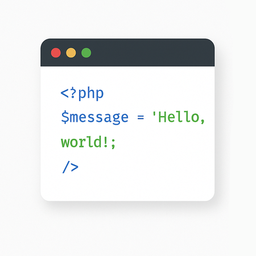
# Light Code Block
Аўтар: [Pavel](https://profiles.wordpress.org/plance/)
[Спампаваць](https://downloads.wordpress.org/plugin/light-code-block.1.0.2.zip)
* [Падрабязнасці](https://bel.wordpress.org/plugins/light-code-block/#description)
* [Водгукі](https://bel.wordpress.org/plugins/light-code-block/#reviews)
* [Ўсталёўка](https://bel.wordpress.org/plugins/light-code-block/#installation)
* [Распрацоўка](https://bel.wordpress.org/plugins/light-code-block/#developers)
[Падтрымка](https://wordpress.org/support/plugin/light-code-block/)
## Апісанне
The “Light Code Block” plugin is a simple and lightweight solution for inserting
and displaying code snippets in posts and pages.
It works by adding a custom “LC”
button to the TinyMCE (Classic) editor or a code block in the Gutenberg editor.
The inserted code will be shown on the front end in a clean, readable format.
### Usage
* Install and activate the plugin.
* Go to the post or page edit screen.
* In the TinyMCE (Classic) editor, click the **“LC”** button in the toolbar.
* In the popup window that opens, paste or write your code, and click **OK**.
* Save or update your post.
The code will be saved inside a special block and displayed on the front end within
a `` tag with the class `mce-simple-code-block` (i.e., `...
`).
To insert code using the Gutenberg editor, you first need to add a Classic (TinyMCE)
block, and then use it to insert your code.
## Screenshots
* [[
* The “LC” button in the Classic editor toolbar.
* [[
* Popup window for inserting/editing code (Classic version).
* [[
* Popup window for inserting/editing code (Gutenberg version).
* [[
* Example of a rendered code block on the front end.
## Ўсталёўка
1. Install the “Light Code Block” plugin through the standard WordPress plugin installer.
2. Or unzip and upload the “light-code-block” folder to the `/wp-content/plugins/`
directory.
3. Activate the plugin through the ‘Plugins’ menu in WordPress.
## Водгукі
На гэты плагін няма водгукаў.
## Удзельнікі і распрацоўшчыкі
“Light Code Block” is open source software. The following people have contributed
to this plugin.
Удзельнікі
* [ Pavel ](https://profiles.wordpress.org/plance/)
“Light Code Block” has been translated into 1 locale. Дзякуй [перакладчыкам](https://translate.wordpress.org/projects/wp-plugins/light-code-block/contributors)
за іх унёсак.
[Перакласці “Light Code Block” на вашу мову.](https://translate.wordpress.org/projects/wp-plugins/light-code-block)
### Зацікаўлены ў распрацоўцы?
[Праглядзіце код](https://plugins.trac.wordpress.org/browser/light-code-block/),
праверце [SVN рэпазітарый](https://plugins.svn.wordpress.org/light-code-block/),
або падпішыцеся на [журнал распрацоўкі](https://plugins.trac.wordpress.org/log/light-code-block/)
па [RSS](https://plugins.trac.wordpress.org/log/light-code-block/?limit=100&mode=stop_on_copy&format=rss).
## Журнал змяненняў
#### 1.0.2
* Tested up to WordPress 6.9
#### 1.0.1
* For backward compatibility, the class “mce-simple-block-code” has been added.
#### 1.0.0
* Init release.
## Мета
* Версія **1.0.2**
* Апошняе абнаўленне **4 месяцы таму**
* Актыўных установак **Менш за 10**
* Версія WordPress ** 6.0 або вышэй **
* Правераны да версіі **6.9.4**
* Мовы
* [English (US)](https://wordpress.org/plugins/light-code-block/) і .[Russian](https://ru.wordpress.org/plugins/light-code-block/).
* [Перакласці на сваю мову](https://translate.wordpress.org/projects/wp-plugins/light-code-block)
* Тэгі
* [code](https://bel.wordpress.org/plugins/tags/code/)[editor](https://bel.wordpress.org/plugins/tags/editor/)
[source](https://bel.wordpress.org/plugins/tags/source/)[sourcecode](https://bel.wordpress.org/plugins/tags/sourcecode/)
[syntax highlighting](https://bel.wordpress.org/plugins/tags/syntax-highlighting/)
* [Пашыраны прагляд](https://bel.wordpress.org/plugins/light-code-block/advanced/)
## Ацэнкі
Пакуль яшчэ няма водгукаў.
[Your review](https://wordpress.org/support/plugin/light-code-block/reviews/#new-post)
[See all reviews](https://wordpress.org/support/plugin/light-code-block/reviews/)
## Удзельнікі
* [ Pavel ](https://profiles.wordpress.org/plance/)
## Падтрымка
Ёсць што сказаць? Патрэбна дапамога?
[Перайсці да форуму падтрымкі](https://wordpress.org/support/plugin/light-code-block/)