
Апісанне
Stop taking catering orders over the phone.
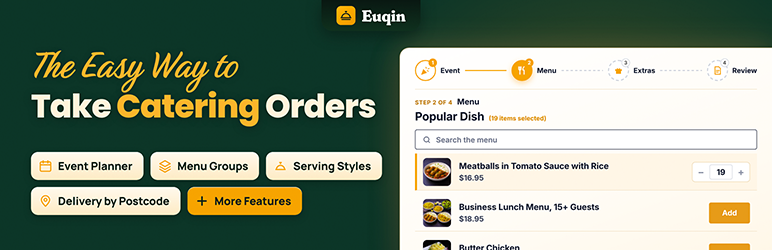
Euqin is a free catering order form for WooCommerce. It changes how you take catering orders.
Your customers plan their event on your website. Then they send you a full request. No checkout. No payment up front.
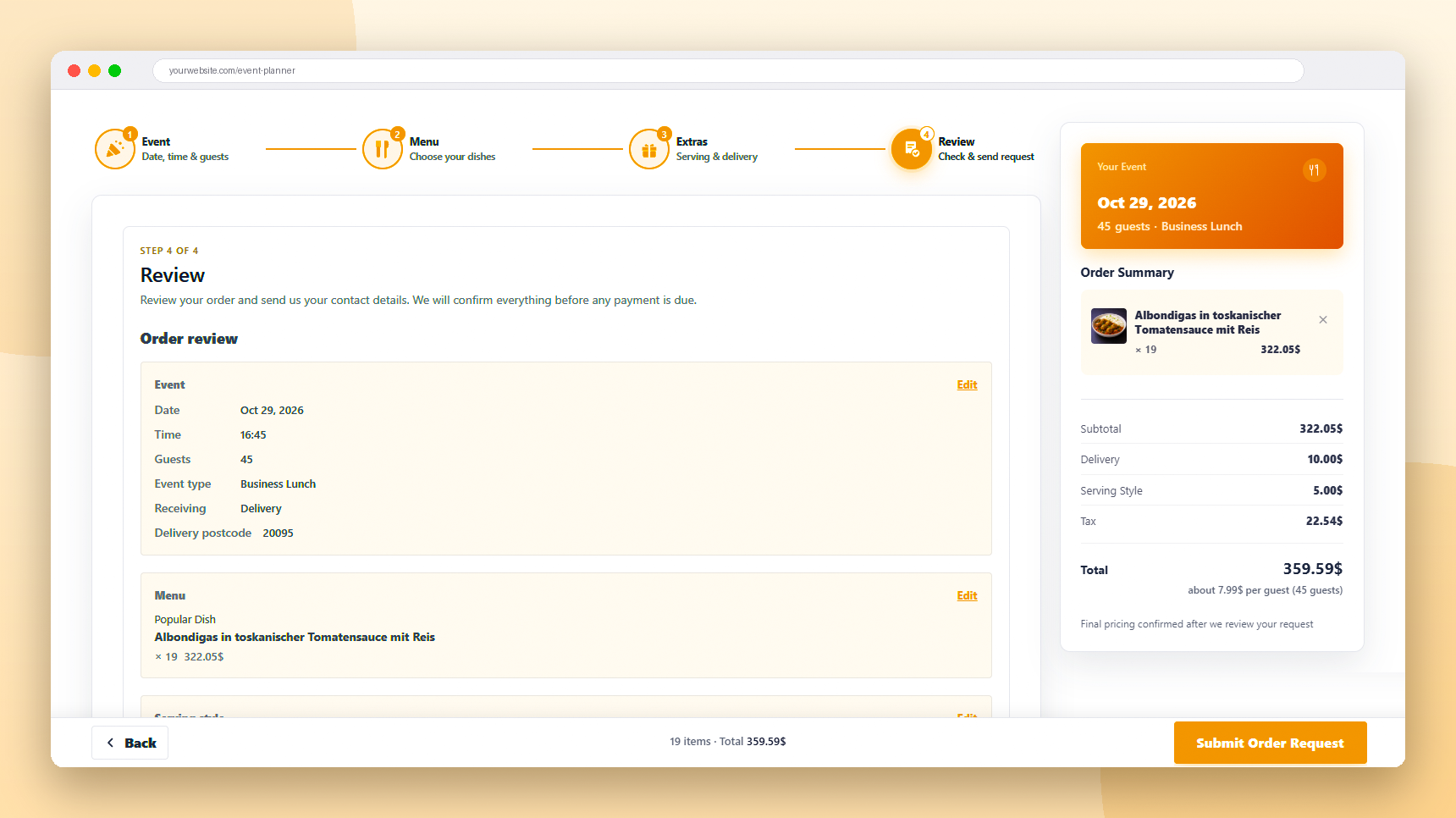
Every request tells you what you need to know: the event date and time, the guest count, the menu, the serving style, and delivery or pickup.
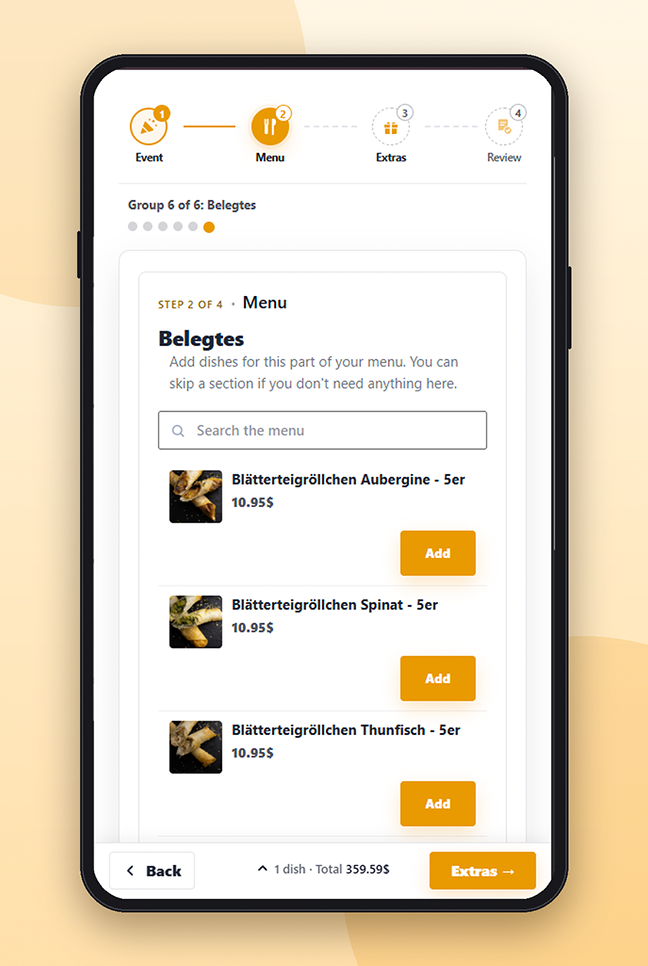
Your customers plan the whole event in four easy steps:
- Pick the date, the time and the occasion.
- Say how many guests are coming.
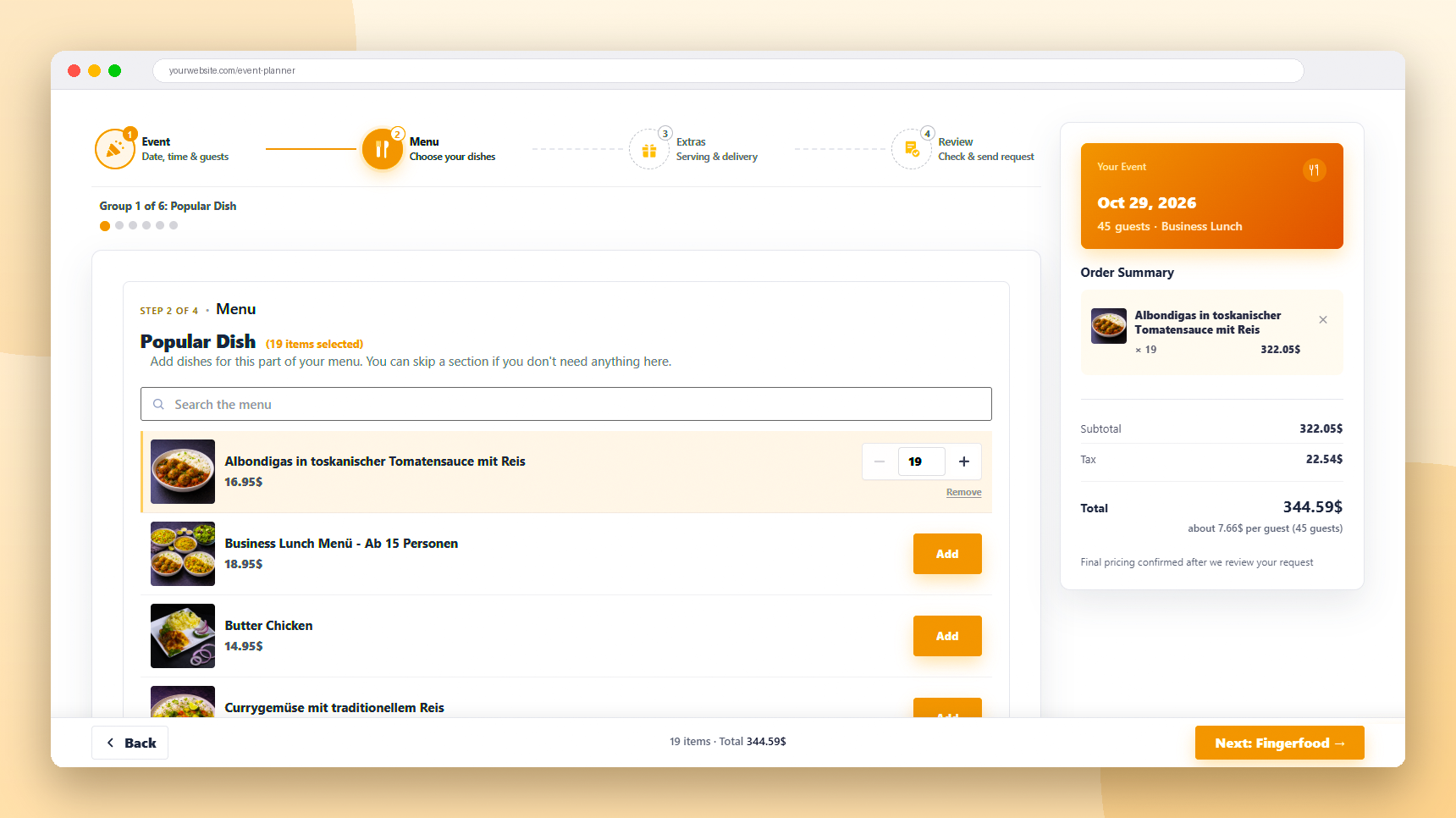
- Choose dishes from your menu and watch the total grow.
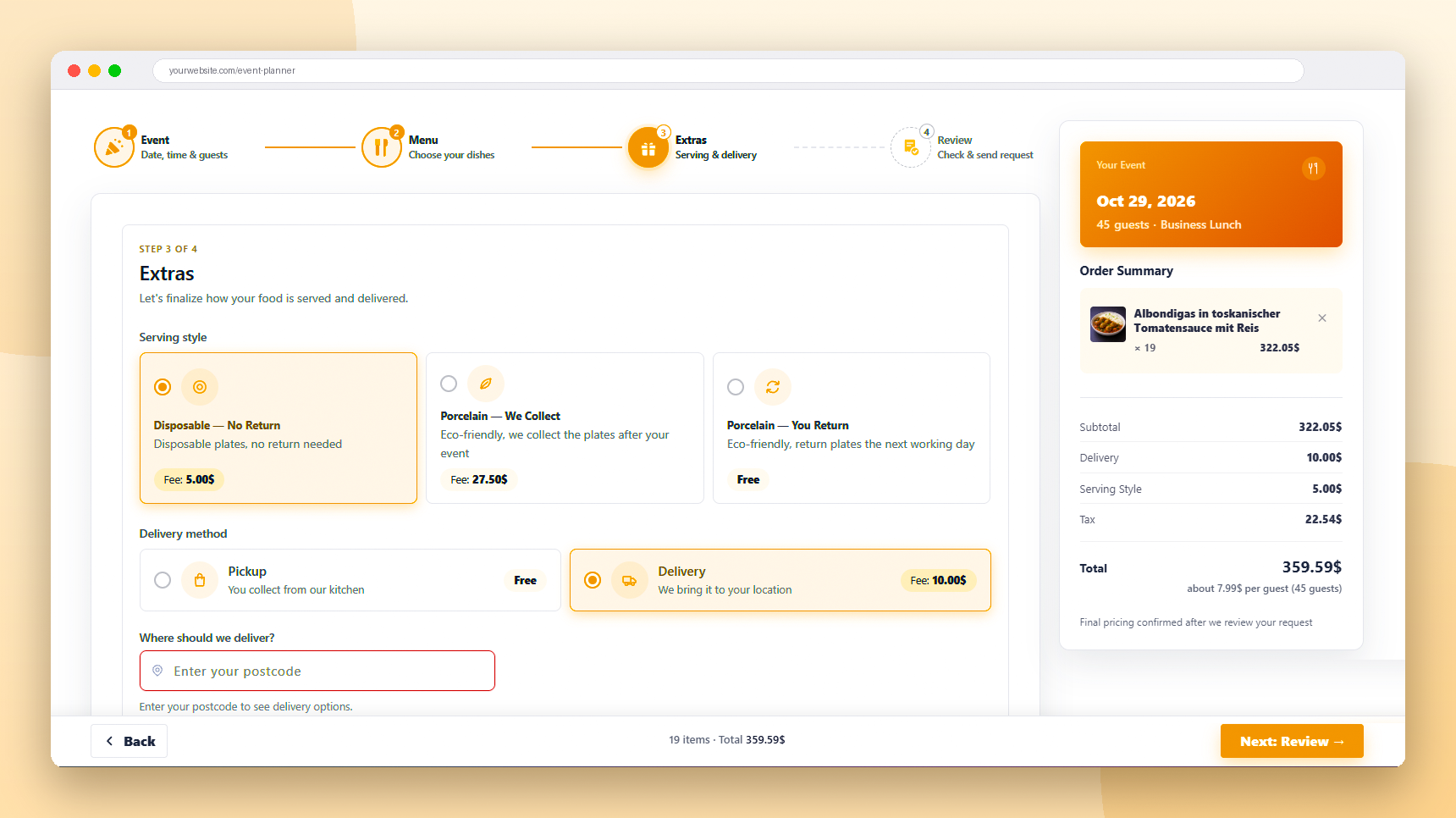
- Add serving style, delivery or pickup, and a note.
One clear request. Nothing to copy. Nothing to chase. You confirm it first. Payment comes later.
Your customers will love it too
They see your menu, your prices and the delivery fee before they send anything. No waiting two days just to learn the price. No surprise bill.
Catering is not shopping
A wedding for 80 guests is not a cart and a checkout button. It needs a date, a head count and a menu that fits.
WooCommerce was built for shopping. Euqin makes it work for catering.
Catering software you own. No monthly fee. No commission.
Features
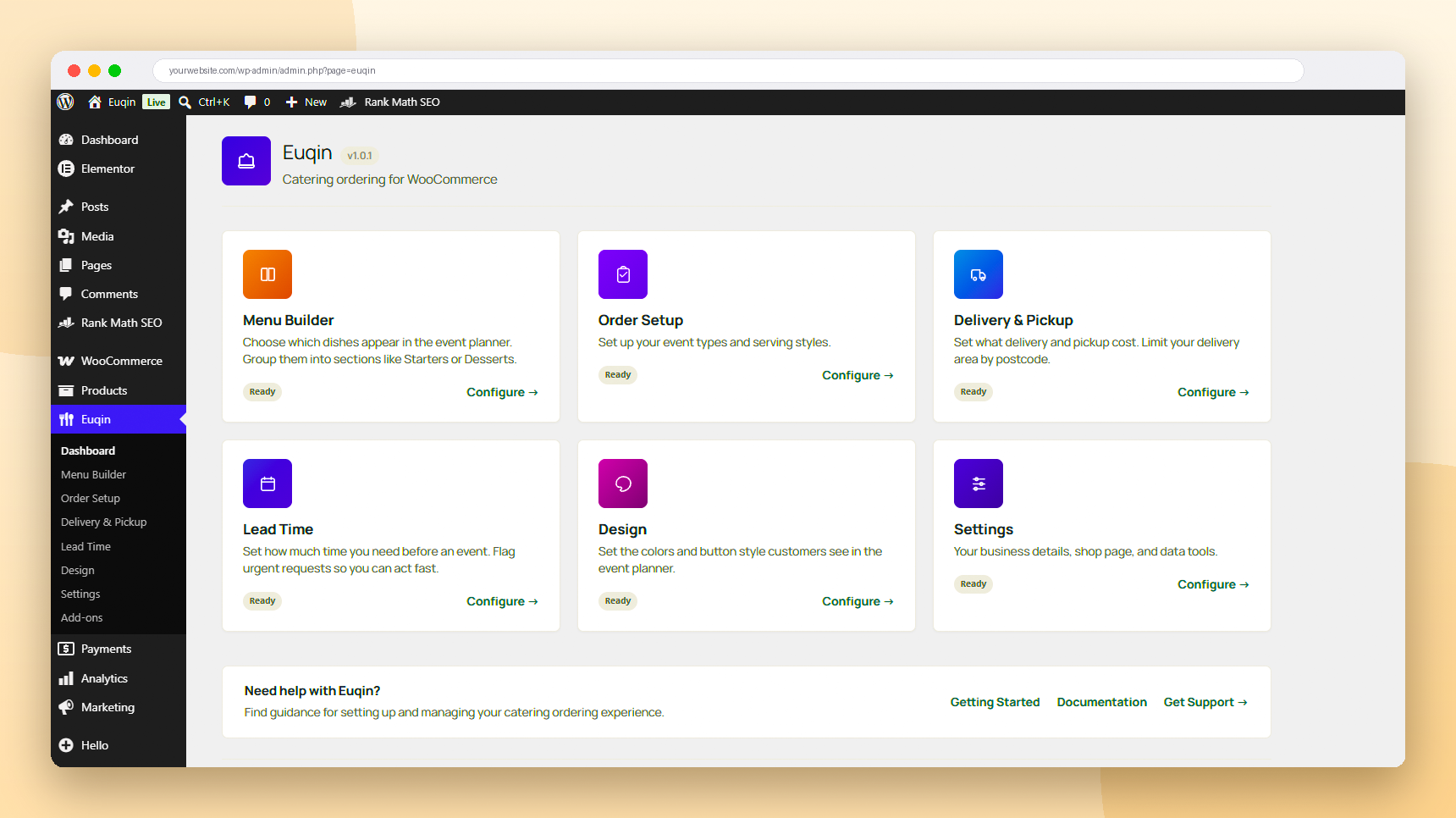
- A four step event planner on any page. Just add the shortcode.
- A quick start form for your homepage. Customers enter the date, time and guests, then continue in the full planner with everything filled in.
- Occasions you choose, like weddings, birthdays or office lunches.
- A menu built from your own WooCommerce products and categories.
- Menu groups, so customers see starters, mains and desserts in order.
- A live order summary with the total, on desktop and on mobile.
- Serving style options, like drop off or full service.
- Pickup and delivery, each with its own fee.
- A delivery area by postcode. Stop or allow requests from outside it, with your own message.
- Notice rules. Set how much time you need before an event.
- An urgent alert when an event is very soon.
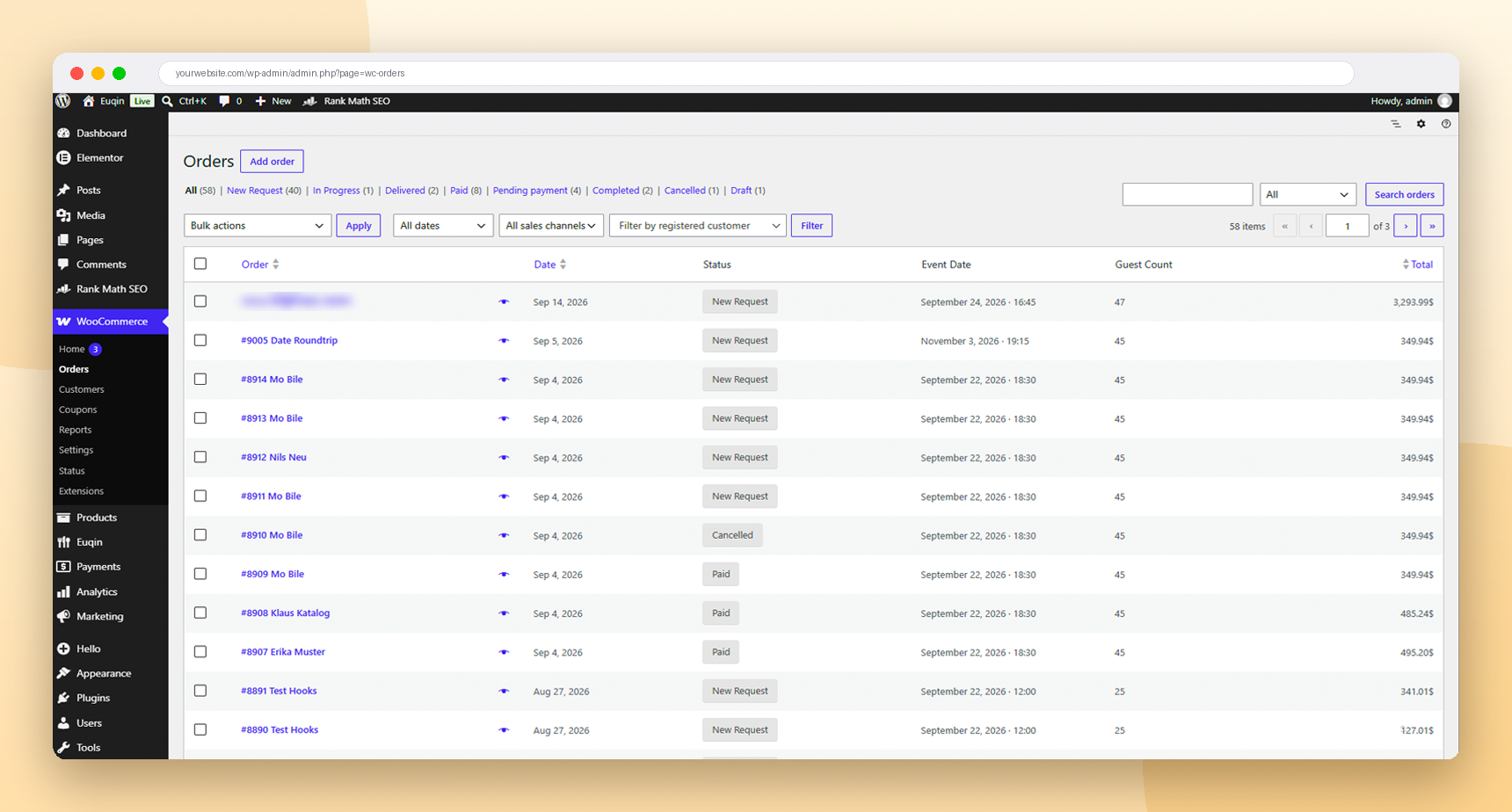
- Catering order statuses: new request, confirmed, paid, delivered and cancelled.
- All catering details on the WooCommerce order screen.
- Emails for you and your customer at every step.
- Reply to a request and your email goes straight to the customer.
- An “Add to selection” button on your shop pages.
- Your own colors and button styles.
- Works with any theme and any page builder.
- Works with WooCommerce High Performance Order Storage.
- Translation ready.
Made for
- Event caterers
- Restaurants that also cater
- Bakeries and party services
- Office and corporate lunch caterers
Your data stays yours
Euqin does not call any outside service. It does not track you or your customers. Every order is a normal WooCommerce order on your own site.
Euqin Pro
Need more? Euqin Pro is a separate plugin. It adds:
- A photo catalog view for your menu
- Kitchen print sheets for your team
- PDF invoices
- Delivery zones, each with its own fee
- A minimum order size
Learn more at euqin.com.
Third-party code
Euqin bundles Alpine.js 3.14.3 (MIT license). Source code: https://github.com/alpinejs/alpine
The Manrope font is bundled under the SIL Open Font License 1.1. Source: https://github.com/googlefonts/manrope
Скрыншоты

Ўсталёўка
- Make sure WooCommerce is installed and active.
- Go to Plugins, then Add New, and search for “Euqin”. Or upload the plugin ZIP file.
- Click Install, then Activate.
- Open Euqin in your admin menu.
- Build your menu groups from your WooCommerce categories or products.
- Add the shortcode
[euqin_event_planner]to any page. - Optional: add
[euqin_quick_start]to your homepage for the quick start form. - Open the planner page and send yourself a test request.
Часта задаваныя пытанні
-
Is Euqin really free?
-
Yes. The event planner, menu, delivery, emails and order statuses are all free. There is no limit on orders. Euqin Pro is an optional extra plugin.
-
Do customers pay when they send a request?
-
No. They send a request, not a payment. You check it and confirm it first. Then you ask for payment your own way.
-
Does it use the WooCommerce cart and checkout?
-
No. Euqin has its own event planner. But every request becomes a normal WooCommerce order. So you manage it where you manage everything else.
-
Can I use it with Elementor or other page builders?
-
Yes. It works with any theme and any page builder. In Elementor, use the Shortcode widget and add
[euqin_event_planner]. -
Can I put a small order form on my homepage?
-
Yes. Add
[euqin_quick_start]to any page. Customers enter the date, time and guest count right there. Then they move to the full planner, and those details are already filled in. -
Can I limit delivery to my own area?
-
Yes. Add the postcodes you deliver to. Then choose what happens outside your area. You can stop the request or allow it. Either way, customers see your own message.
-
Can customers still order last minute?
-
You decide how much notice you need. When an event is very soon, Euqin shows the customer your phone number and sends you an urgent alert.
-
Does it work for restaurants that also cater?
-
Yes. Your shop keeps working as normal. Euqin adds catering on top of it.
-
Is it translation ready?
-
Yes. Every text in Euqin can be translated.
-
What does Euqin Pro add?
-
A photo catalog view, kitchen print sheets, PDF invoices, delivery zones with their own fees, and a minimum order size. You can learn more at euqin.com.
Водгукі
На гэты плагін няма водгукаў.
Удзельнікі і распрацоўшчыкі
“Euqin: Catering Ordering for WooCommerce” з’яўляецца праграмным забеспячэннем з адкрытым зыходным кодам. Наступныя людзі ўнеслі свой уклад у гэты плагін.
Удзельнікі
Перакласці “Euqin: Catering Ordering for WooCommerce” на вашу мову.
Зацікаўлены ў распрацоўцы?
Праглядзіце код, праверце SVN рэпазітарый, або падпішыцеся на журнал распрацоўкі па RSS.
Журнал змяненняў
1.0.1
- Quick View: close button is now clearly visible on every theme and no longer overlaps long product titles.
- Translations load on init, as WordPress 6.7 requires.
1.0.0
- First release.