
Апісанне
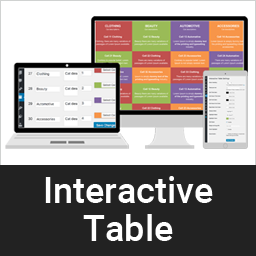
A dynamic way to display clean & responsive interactive table for your contents in a nice view.
Скрыншоты


Ўсталёўка
This section describes how to install the plugin and get it working.
e.g.
- Upload the plugin files to the
/wp-content/plugins/interactive-tabledirectory, or install the plugin through the WordPress plugins screen directly. - Activate the plugin through the ‘Plugins’ screen in WordPress
- Add category from category page /wp-admin/edit.php?post_type=interactive_table&page=it-cell-cetegory
- Add table item here /wp-admin/edit.php?post_type=interactive_table&page=it-settings or you can import demo from plugin demo folder /plugins/interactive-table/demo-data. Data is xml format, just import using default wordpress import tools.
Часта задаваныя пытанні
-
Is is support unlimited color?
-
Yes, our pro version support unlimited color and unlimited cell.
Pro version is available here -
How do I set different but fixed color table without hover?
-
It is in Settings, /wp-admin/edit.php?post_type=interactive_table&page=it-settings, Just enable “Fixed highlight”
-
Can I place table Head row left or right?
-
Yes, this is also available in our pro version. Even you can set table head to bottom.
Pro version is available here
Водгукі
На гэты плагін няма водгукаў.
Удзельнікі і распрацоўшчыкі
“Interactive Table” з’яўляецца праграмным забеспячэннем з адкрытым зыходным кодам. Наступныя людзі ўнеслі свой уклад у гэты плагін.
Удзельнікі
Перакласці “Interactive Table” на вашу мову.
Зацікаўлены ў распрацоўцы?
Праглядзіце код, праверце SVN рэпазітарый, або падпішыцеся на журнал распрацоўкі па RSS.
Журнал змяненняў
1.0.1
- Compatibility check
1.0
- Initial development.