

Апісанне
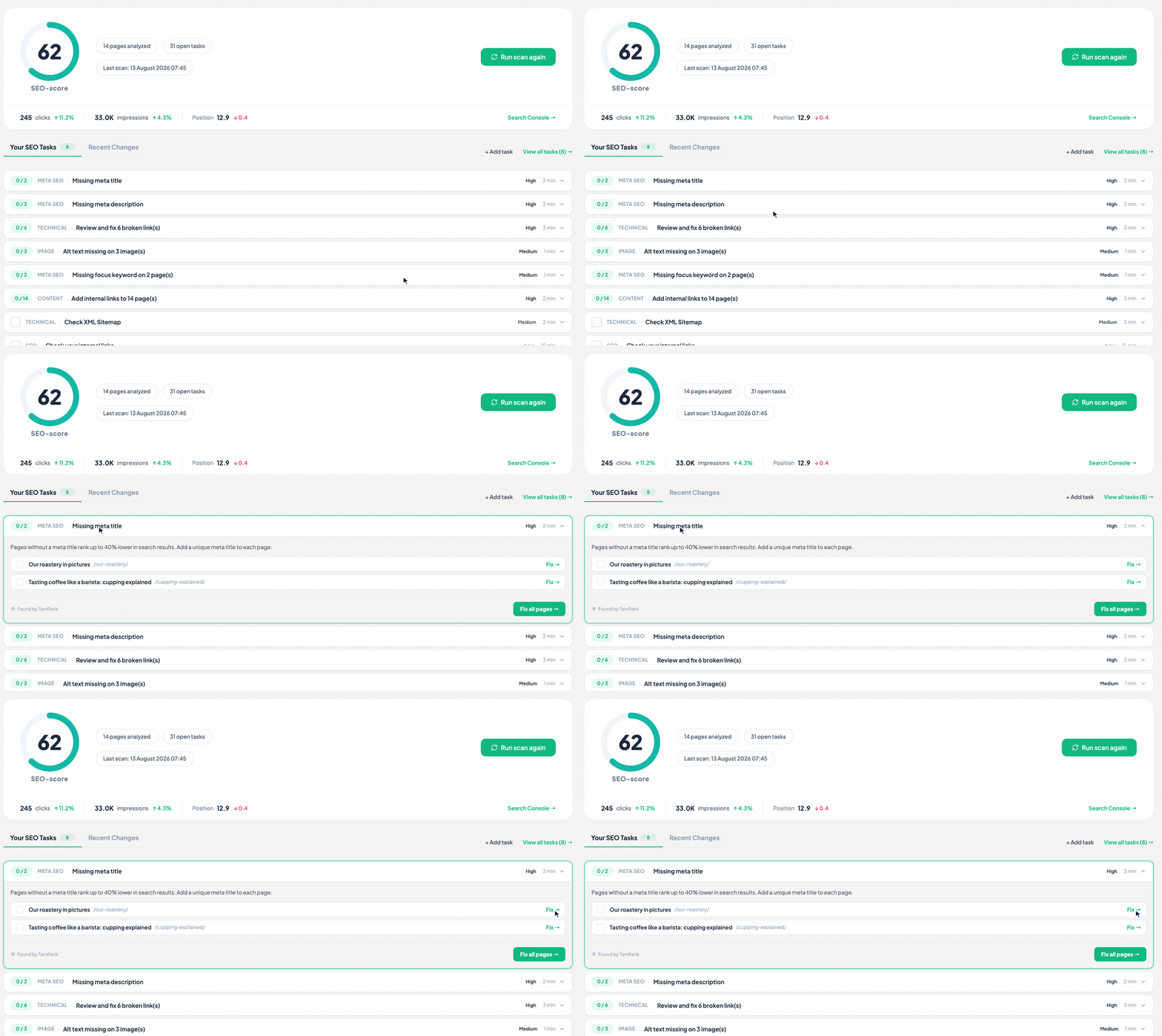
TamRank is a WordPress SEO plugin that doesn’t just tell you what’s wrong, it shows you exactly what to fix. It brings the essentials together in one clean, uncluttered interface: meta titles and descriptions, social (Open Graph) previews, an XML sitemap, schema markup, redirects, 404 monitoring, your Search Console numbers and a continuous SEO audit with clear scoring.
Every screen stays clean and uncluttered: clear scores and plain-language steps on what to improve next, instead of traffic-light dots that read like a report card. It is calm, practical guidance that helps you improve your search rankings without turning SEO into a second job. If you have outgrown a heavier SEO plugin, TamRank is a clean, lightweight alternative to Yoast SEO and Rank Math.
Switching over? The built-in migration wizard imports your existing Yoast SEO and Rank Math metadata, so you keep your titles, descriptions and settings.
Core features (free):
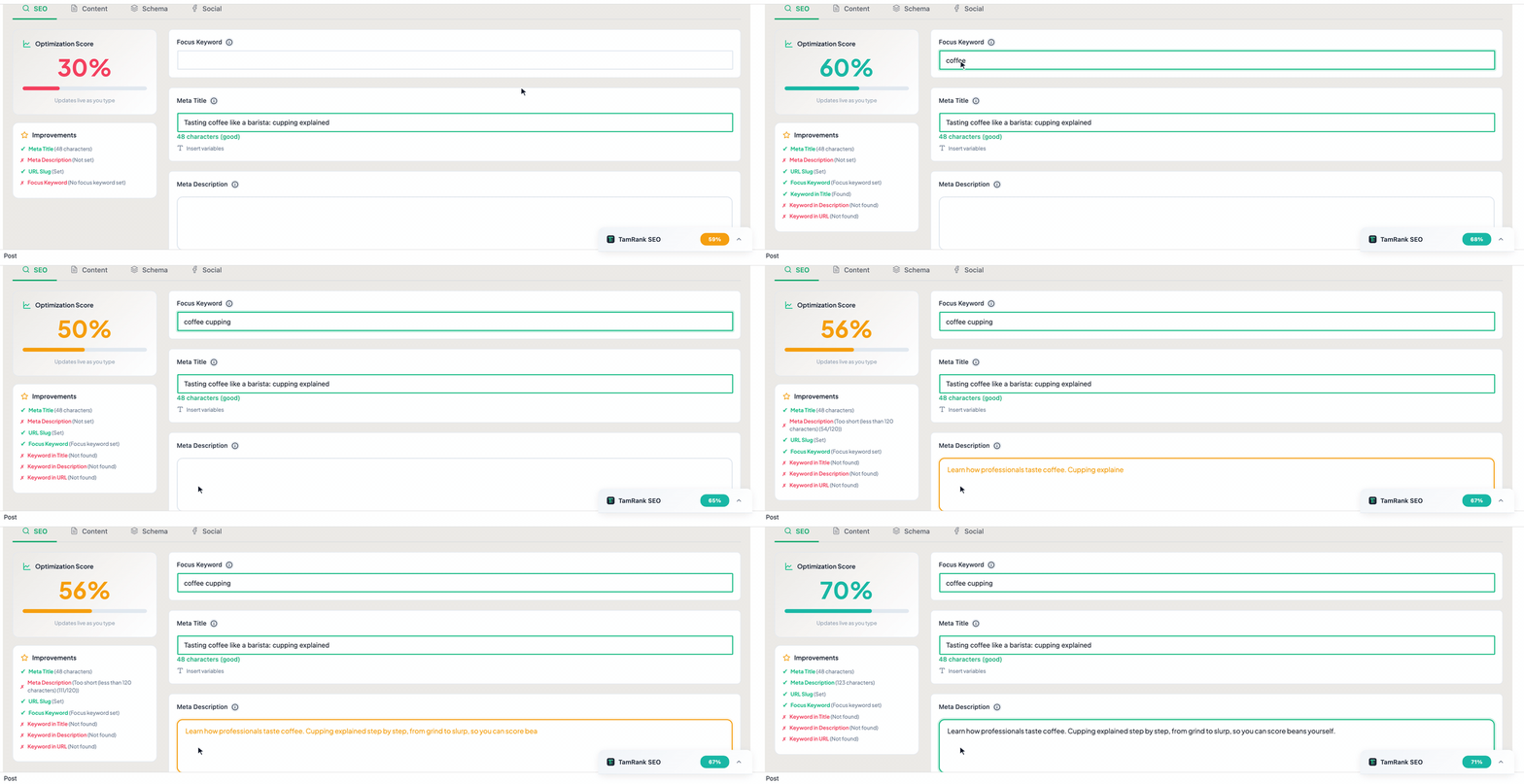
- Meta title, description and canonical management per post, page and taxonomy term
- A focus keyword plus up to four secondary keywords per page, with live scoring as you write
- Google Search Console connection: clicks, impressions and average position in your WordPress dashboard (last 7 and 28 days)
- Social (Open Graph) title, description and image
- XML sitemap with configurable content types
- Robots.txt editor
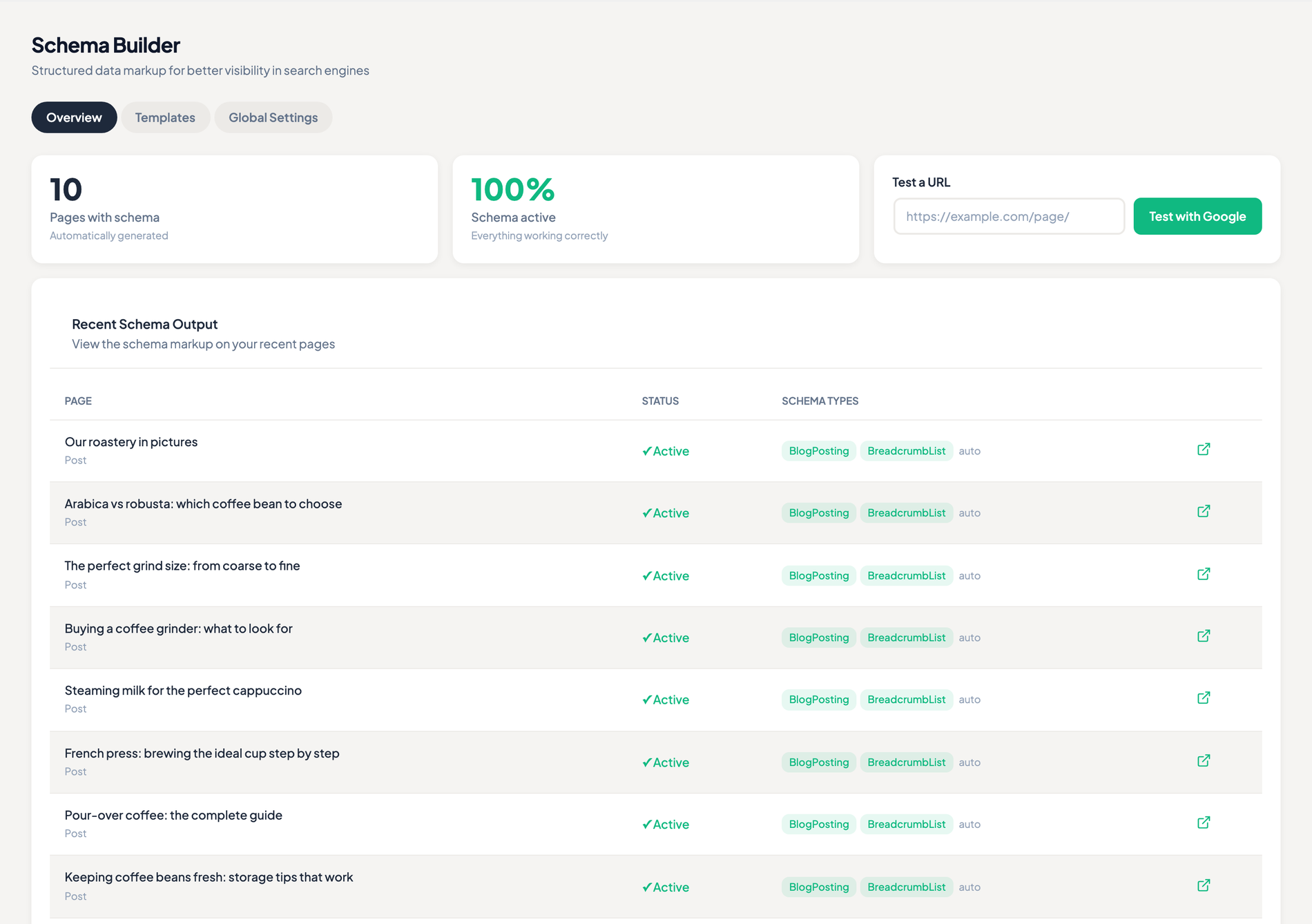
- Schema markup builder with 14 types, reusable templates and custom JSON-LD
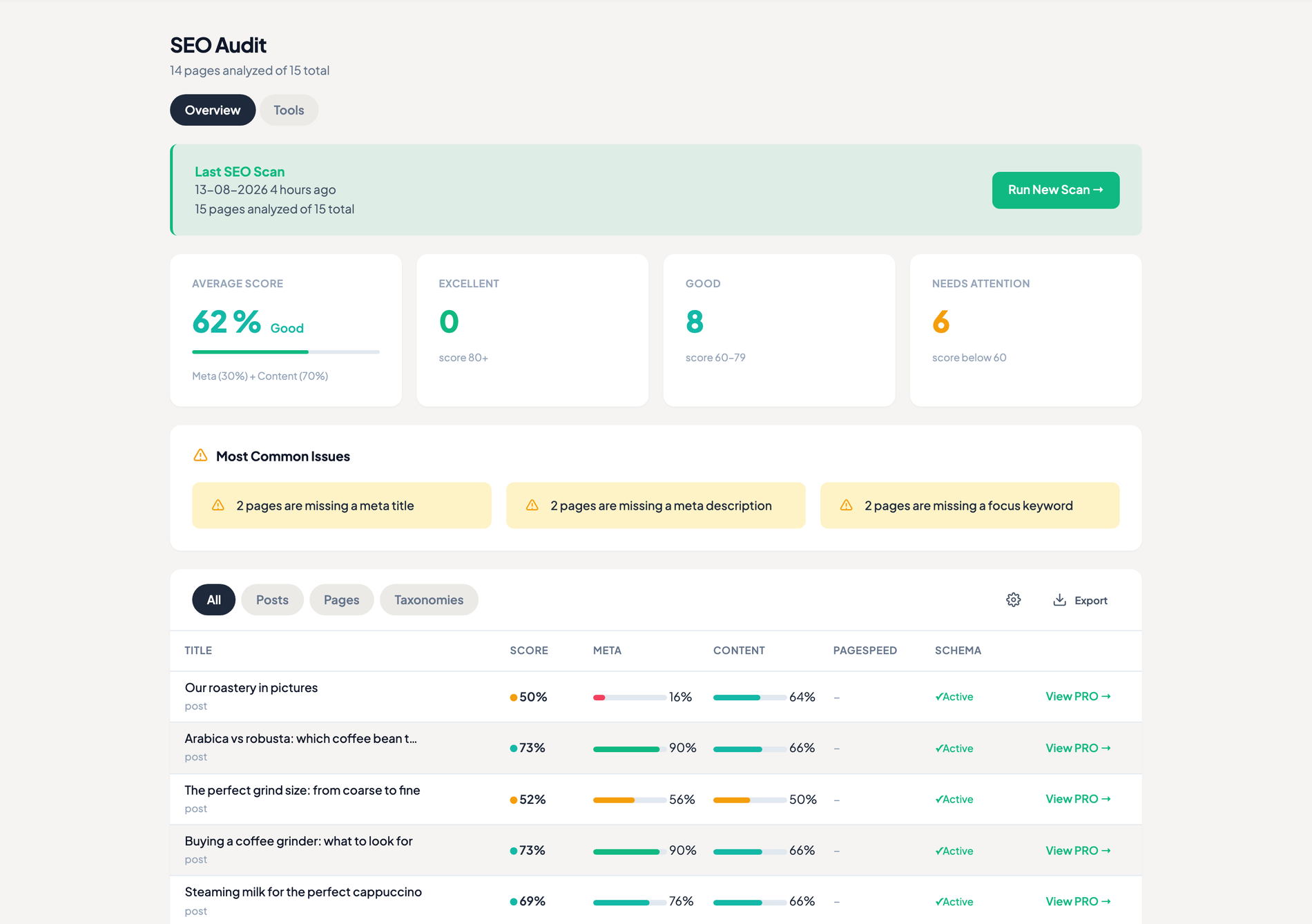
- SEO audit overview with scoring and filter pills
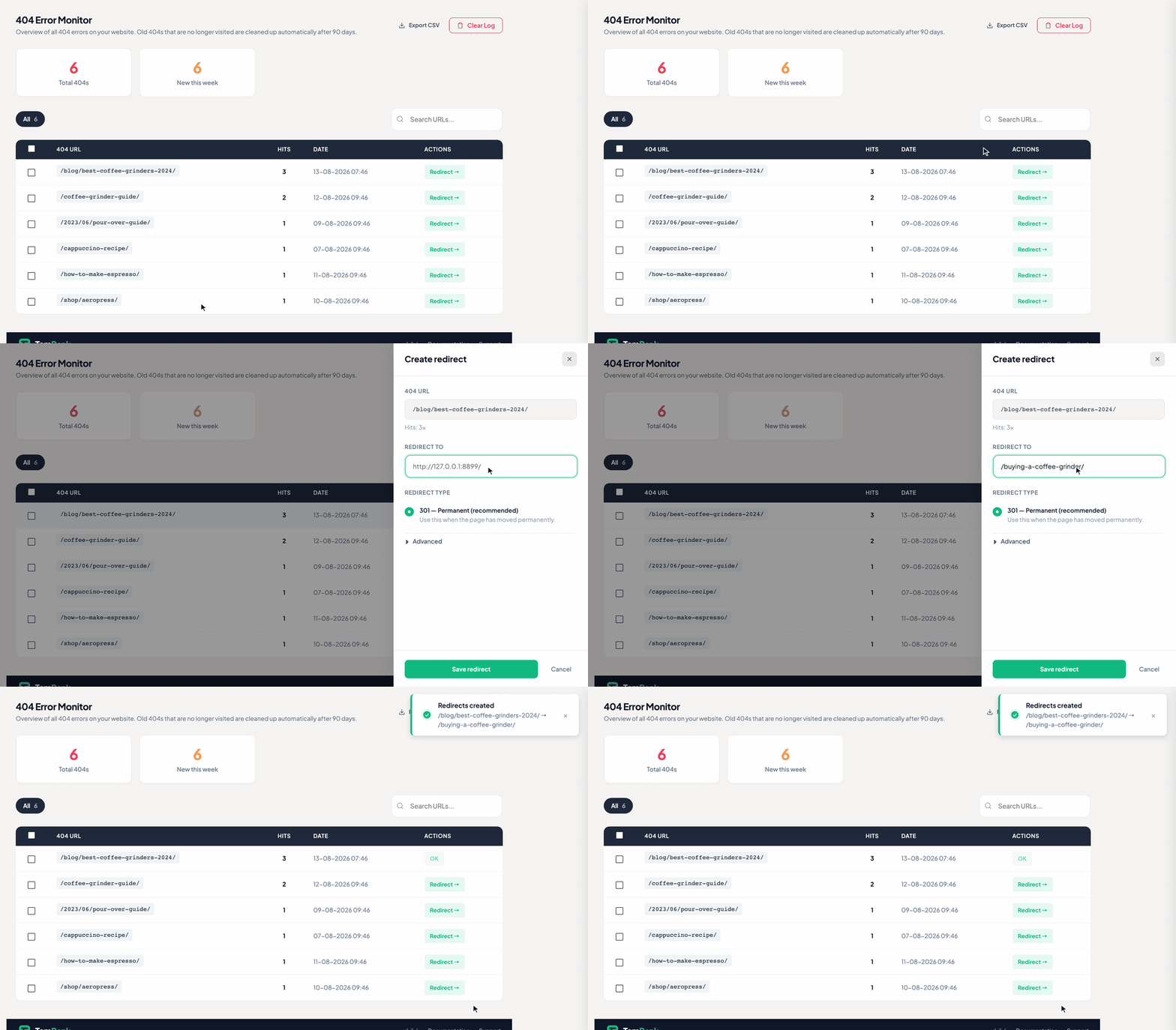
- 404 monitor and redirect manager, including regex rules with $1-$9 backreferences
- HTML sitemap and breadcrumbs for the front end, as a block, a widget, a shortcode or a template tag
- Migration wizard for Yoast SEO and Rank Math data
- Automatic indexing requests on publish and a manual “Request indexing” action per post
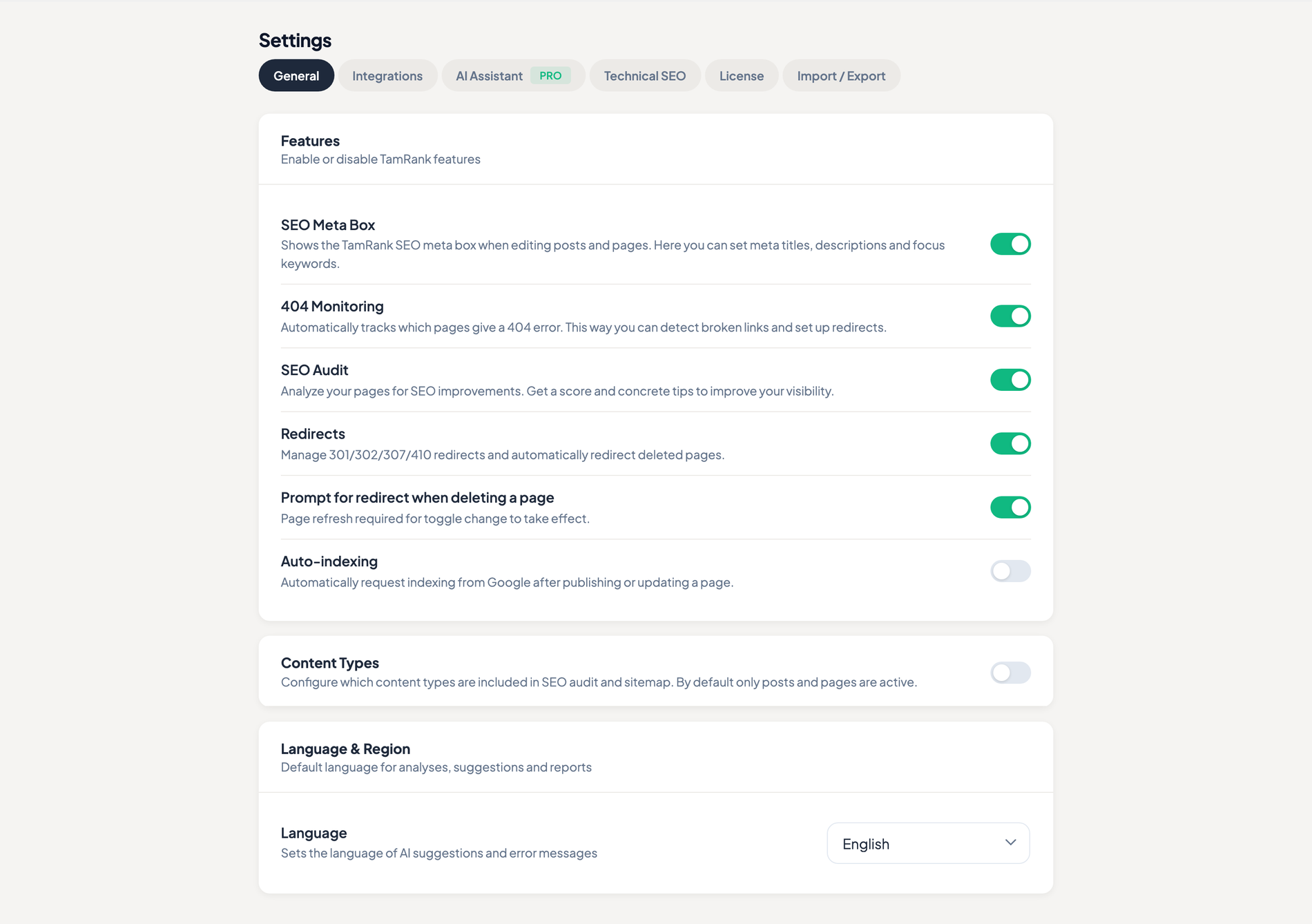
- IndexNow: tell Bing, Yandex, Naver, Seznam, Amazon and Yep the moment you publish (off by default)
- The full set of robots directives per page, post and term — noarchive, nosnippet, noimageindex, max-snippet and more
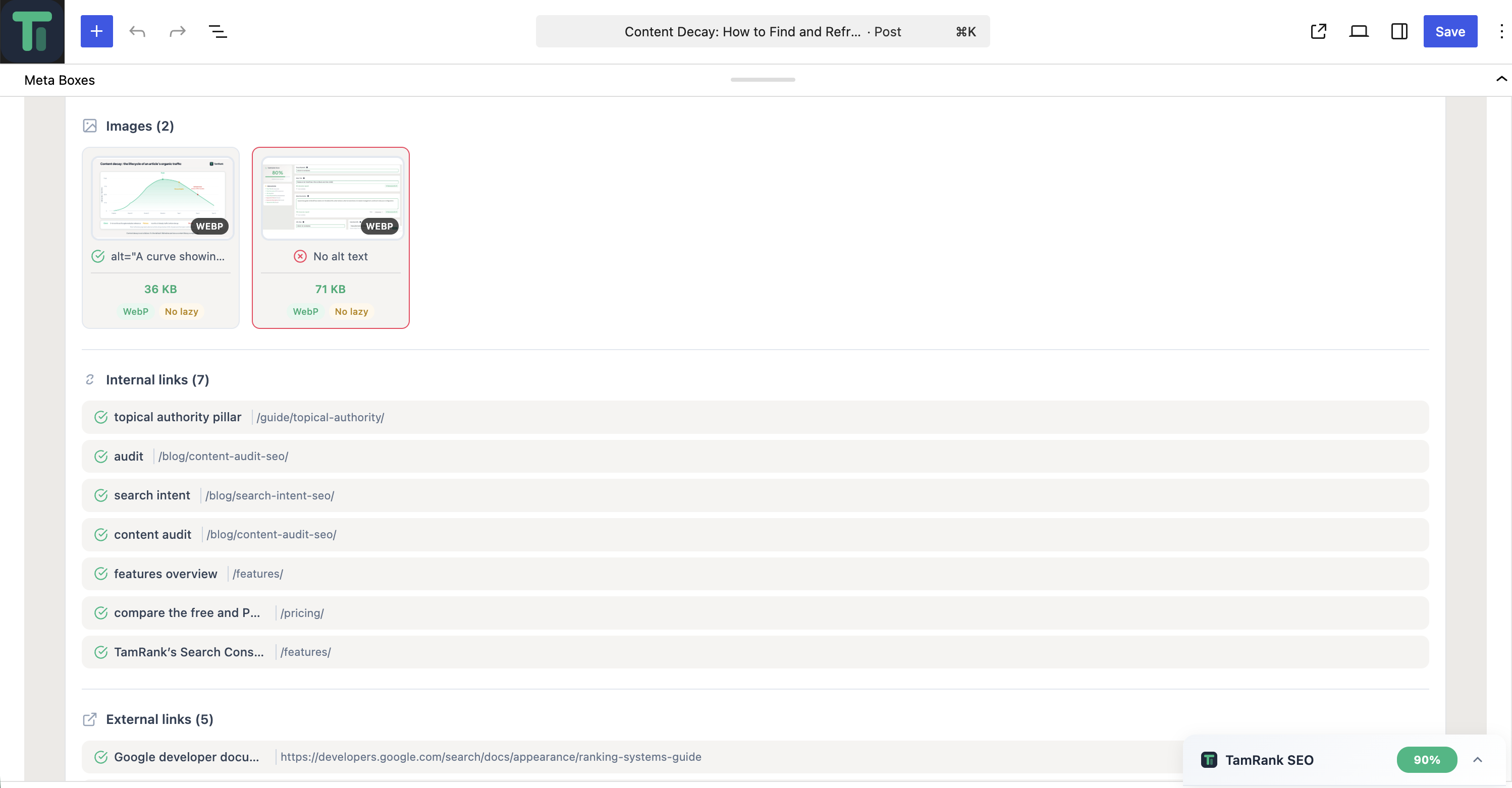
- Automatic WebP conversion with picture-tag output, and a bulk run for your existing media library
- Automatic alt text from a pattern you choose, on upload and across your existing media library
- RSS feed optimisation, so sites that republish your feed link back to the original
- Built-in .htaccess editor with a backup before every write and an automatic restore if the site stops responding
PRO features:
- AI meta generator — titles, descriptions and alt text via a hosted AI endpoint
- Topical authority clustering and internal linking suggestions
- SEO audit per-post detail panels — full per-page breakdown with recommendations
- SEO change tracker — every edit logged with score impact
- Priority engine, slug synonyms, redirect chain detection
- Index status column and daily bulk index-status scanning
- Google PageSpeed Insights integration
TamRank PRO is a separate add-on, not bundled in this free plugin. After purchase you receive the PRO add-on by email and install it like any other plugin; it then unlocks the features listed above. The free plugin is fully functional on its own and never installs or downloads the add-on for you.
External services
TamRank communicates with api.tamrank.com (operated by TamRank) for the following purposes. All calls are HTTPS-only.
- Setup tips opt-in (optional, requires consent). When you check “Yes, send the tips” on the wizard success screen, the plugin sends your site’s admin email, the chosen UI language, your site URL, the plugin version and an anonymous onboarding-variant marker (used only to pick which tips series to send) to
https://api.tamrank.com/v1/sites/email-optin. This enrolls you in a short series of educational emails about TamRank features. Unsubscribing from any email removes you from the list. No tracking pixels, no marketing blasts. Without consent this call is never made. - Site registration (on explicit action — not on activation). Activating the plugin does not contact any server. The first time you click “Connect with Google” to link Google Search Console, the plugin requests a free API key from
https://api.tamrank.com. To prove you control the domain before any key is issued, the plugin runs a short ownership handshake: it asks the TamRank server for a one-time token, briefly publishes that token athttps://your-site/.well-known/tamrank-challenge.txt, and the TamRank server fetches it back to confirm the match. That token is single-use and short-lived, it is not the API key, and the path returns 404 when no handshake is in progress. Only your site domain, site URL and plugin version are sent. The API key is requested once, cached, and is required for TamRank’s hosted SEO services (Google Search Console integration, schema validation). - Google Search Console data (proxied through TamRank). When you connect Google Search Console, the OAuth authorisation and every subsequent Search Console request — impressions, clicks, average position and per-page index status — are routed through
https://api.tamrank.com/v1/search-console/..., not called against Google directly. TamRank performs the OAuth token exchange on your behalf and returns the data, which is then cached in your WordPress database. Nothing is sent until you explicitly click “Connect with Google”. - Automatic indexing / “Request indexing” (optional, off by default). When automatic indexing is enabled (it is off by default) or you click “Request indexing” on a post, the post’s URL — not its content — is sent to
https://api.tamrank.com/v1/search-console/index-url(and its status checked via.../index-status) so the page can be submitted to search engines. This requires a connected Search Console property and never runs without one. - IndexNow (optional, off by default). IndexNow is switched off on a fresh install and the plugin makes no IndexNow call until you enable it under Settings General. Switching the toggle on is what triggers the network activity: at that moment the plugin creates a random site key, publishes it as a small text file at
https://your-site/<key>.txt(so the search engines can verify you control the domain), and — if your site does not have an API key yet — runs the same one-time ownership handshake described under “Site registration” above to obtain one. After that, publishing or updating a page sends that page’s URL — not its content — tohttps://api.tamrank.com/v1/indexnow/submit, which forwards it tohttps://api.indexnow.org. IndexNow shares one submission with every participating search engine (Amazon, Bing, Naver, Seznam.cz, Yandex, Yep). Pages marked noindex, pages of content types you excluded, drafts, revisions and password-protected pages are never submitted. Switching the toggle off stops every submission; the key file itself stays reachable so a verification the search engines already started can still finish — it contains a random token and nothing else, and grants no access to your site. IndexNow protocol: https://www.indexnow.org/ - License activation (PRO add-on only). The separately-installed TamRank PRO add-on sends its license key together with your site’s API key to
https://api.tamrank.com/v1/sites/upgradeto verify and activate the license. The free plugin has no license-key field and never makes this call; it is listed here only for completeness. - AI features (PRO add-on only). Provided by the separate PRO add-on: AI meta generation, alt-text generation, internal-link suggestions and topical-authority analysis send the relevant post content to
https://api.tamrank.com/v1/...endpoints. These features are off by default and only fire on user action. The free plugin sends no content to these endpoints.
In addition, the separate TamRank PRO add-on uses one third-party Google service directly:
- Google PageSpeed Insights (PRO add-on only). PageSpeed testing is a PRO feature. When you run a PageSpeed test in the PRO add-on, the URL of the page being tested is sent (using your own Google API key) to Google’s PageSpeed Insights API (
https://www.googleapis.com/pagespeedonline/v5/runPagespeed) and the resulting performance metrics are returned. This only happens on your explicit action. The free plugin does not make this call. Google’s terms: https://developers.google.com/speed/docs/insights/v5/about — Google privacy policy: https://policies.google.com/privacy.
The TamRank service is operated by TamRank (Netherlands). Privacy policy: https://tamrank.com/privacy-policy/ — Terms of service: https://tamrank.com/terms-of-service/. Contact: info@tamrank.com.
Third-party libraries
This plugin bundles the following minified third-party libraries. Their unminified source is available at the locations below:
- ApexCharts v4.7.0 (MIT) — https://github.com/apexcharts/apexcharts.js
- D3.js v7.9.0 (ISC) — https://github.com/d3/d3
- Plus Jakarta Sans font (SIL Open Font License 1.1) — https://github.com/tokotype/PlusJakartaSans
Скрыншоты


Блокі
Гэты плагін прадастаўляе 2 блокі.
- Sitemap
- Breadcrumb
Ўсталёўка
- Upload the
tam-rankfolder to/wp-content/plugins/or install through the WordPress admin. - Activate the plugin via the Plugins screen.
- Open Tam Rank Settings to run the onboarding wizard.
- That’s it — the free plugin is fully functional. PRO features come from a separate TamRank PRO add-on (installed like any other plugin); Settings License explains what the free version includes and how to add PRO.
Часта задаваныя пытанні
-
Does TamRank work alongside Yoast SEO or Rank Math?
-
Yes for migration purposes. The onboarding wizard imports your existing SEO data from Yoast or Rank Math. Running both active is not recommended as they will duplicate meta output.
-
Is a PRO license required?
-
No. The full meta management, sitemap, schema builder, audit, 404 monitor and redirect features work for free. The separate TamRank PRO add-on adds the AI tools, topical authority, change tracker and priority engine.
-
How is my data stored?
-
All SEO data is stored in standard WordPress post meta and options. Custom tables are used for redirects (the PRO add-on adds its own tables for change logs, topical maps and slug synonyms). At uninstall you can optionally drop these tables via the Privacy & Data toggle.
-
Is TamRank a free alternative to Yoast SEO?
-
Yes. Meta management, the XML sitemap, the schema builder, the SEO audit, the 404 monitor, redirects, WebP conversion, automatic alt text and the .htaccess editor all work in the free plugin. You get a focus keyword plus four secondary keywords per page, where Yoast SEO free gives you one. The separate TamRank PRO add-on adds the AI tools and the topical authority map; you never need it to run TamRank.
-
How do I migrate from Yoast SEO to TamRank?
-
Install TamRank and open the onboarding wizard. It detects Yoast SEO (and Rank Math), tells you how many items it found and imports your titles, descriptions and settings. Your existing plugin’s data is left untouched, so you can deactivate it once you are satisfied and go back if you are not.
-
Where can I report a bug or ask a question?
-
Use the support forum on this page. That is the fastest route, and the answer stays visible for anyone with the same question. For account or billing questions, use https://tamrank.com/contact/.
Водгукі
На гэты плагін няма водгукаў.
Удзельнікі і распрацоўшчыкі
“TamRank SEO” з’яўляецца праграмным забеспячэннем з адкрытым зыходным кодам. Наступныя людзі ўнеслі свой уклад у гэты плагін.
Удзельнікі
Перакласці “TamRank SEO” на вашу мову.
Зацікаўлены ў распрацоўцы?
Праглядзіце код, праверце SVN рэпазітарый, або падпішыцеся на журнал распрацоўкі па RSS.
Журнал змяненняў
1.3.7
- New: an HTML sitemap and breadcrumbs for your visitors, as a block, a widget, a shortcode or a template tag. Both use the same data as your XML sitemap, so what a visitor reads matches what Google reads.
- New: IndexNow. Publishing or updating a page tells Bing, Yandex, Naver, Seznam, Amazon and Yep straight away instead of waiting for the next crawl. Off until you switch it on.
- New: the full set of robots directives per page, post and term: noarchive, nosnippet, noimageindex, notranslate, max-snippet, max-image-preview and max-video-preview.
- New: automatic alt text. New uploads get their alt text from a pattern you choose, and you can run that pattern across the images already in your library. It only fills what is still empty, and a run can be undone. Off by default.
- New: RSS feed optimisation. Put a line of text before and after every item in your feed, so sites that republish it link back to the original. Off by default.
- New: regex redirects. One rule can cover a whole set of old addresses, with $1 to $9 in the target filling in what the pattern captured. Every pattern is checked before it is saved.
- New: the migration wizard imports your redirects from Yoast and Rank Math as well, and the rollback removes them again.
- Changed: step two of the setup wizard has been redesigned.
- Changed: the Internal links card on the dashboard shows a status instead of a percentage, so pages without a contextual link no longer read as a failing score.
- Fixed: date archives ran into a fatal error and returned a blank page.
- Fixed: the BreadcrumbList in your structured data listed drafts, private, trashed, password protected and noindex pages as steps in the path.
- Fixed: the BreadcrumbList in your structured data showed & and ’ where a visitor reads & and an apostrophe.
- Fixed: the X-Robots-Tag header could contradict the robots meta tag on pages with their own settings.
- Fixed: saving your settings could empty a stored PageSpeed key, AI switch, writing style or brand profile, and the “Settings saved” confirmation did not appear.
- Fixed: the settings page jumped back to General after saving instead of staying on the tab you were working in.
- Fixed: the category selection in the migration wizard did nothing on every second visit.
- Fixed: bulk actions asked for confirmation through the browser dialog instead of TamRank’s own.
- Fixed: the robots directives are now written into the single robots tag WordPress outputs itself instead of a second tag beside it, so the two can no longer contradict each other.
- Fixed: a pattern typed while Match is still set to Exact is refused with an explanation instead of being stored as a rule that can never fire.
- Fixed: FAQ schema listed every question twice, and a page whose only question shaped heading was a call to action could still become an FAQ.
- Fixed: content analysis raised a PHP warning on the featured image of an unpublished post.
- Fixed: “Not analyzed yet” on the dashboard was untranslated in Dutch, German and French.
- Removed: llms.txt. Google has confirmed it ignores these files, and measurements across 137,000 domains show AI crawlers almost never request them. After updating, /llms.txt returns “not found” like any other unused address.
1.3.6
- New: built-in .htaccess editor with backup before every write, a sandbox parse-test before saving and a fail-safe self-check after saving that restores the previous version unless the site verifiably still responds (Apache/LiteSpeed only; read-only on nginx). Respects DISALLOW_FILE_EDIT/DISALLOW_FILE_MODS and is super-admin-only on multisite.
- Changed: the content score is now a weighted average per category instead of a flat sum of sub-checks, so the category label is the single source of truth and the maximum is a real 100. Keyword checks no longer pass for free when no focus keyword is set; they are marked not applicable and the remaining categories are renormalised. Existing pages can shift a few points.
- Fixed: hardcoded credit total in the API client and license manager, an IndexNow label on a Search Console submission, a dead rollback deep link in the migration banner and an AJAX endpoint without a caller.
- Fixed: FAQ schema now recognises class-based accordions and no longer picks up a call-to-action heading as a question.
- UI: refined tooltip system, empty-state pass (icon + guidance + one clear action) and motion/feedback polish across the admin.
- Hardening: security and schema should-fixes from the wp.org pre-submission audit.
Earlier versions
1.3.6 was the first TamRank release published on WordPress.org. Everything before it was pre-release development; the full history is at https://tamrank.com/changelog/.